Plan and schedule
Plan a week of posts in minutes
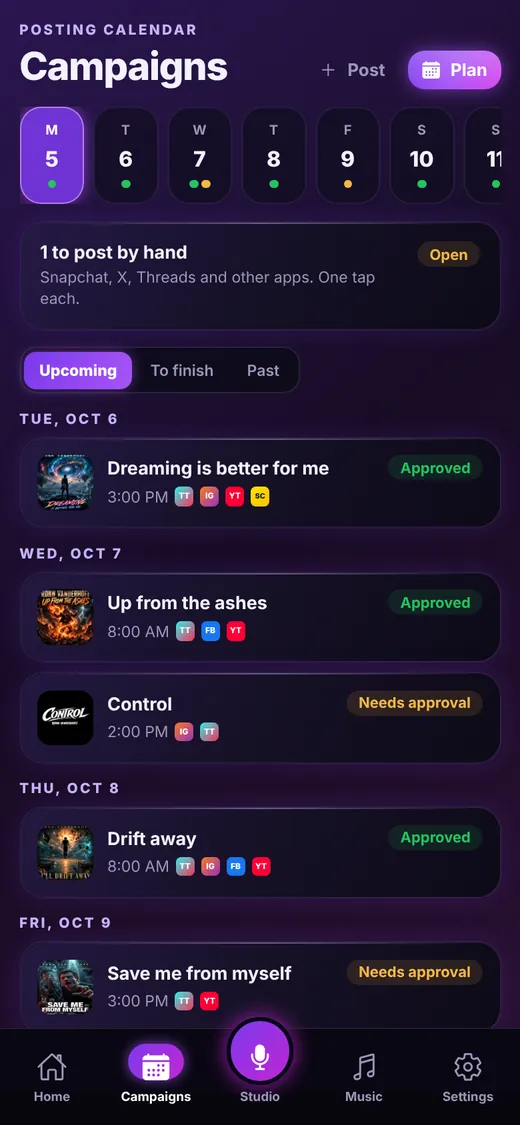
The Campaigns tab is your posting calendar. Pick a song or a set of videos, choose how many days and how many posts a day, and Beacon Reach creates every slot for you.
Campaign calendar
Know exactly what needs you
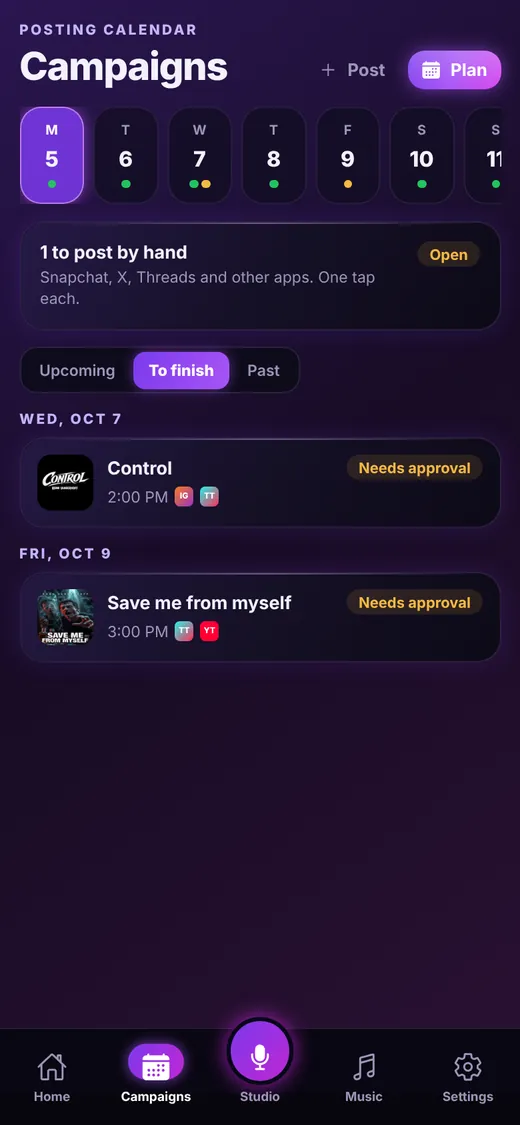
The week strip shows every day with something coming, with a green dot for posts you approved and an amber dot for posts that still need you. Switch between Upcoming, To finish and Past, and To finish shows just the posts waiting on your approval.
- Each post shows its cover art, time and platform badges
- Approved and Needs approval labels at a glance
- Tap any post to edit the caption, time or platforms
- Add a single post any time with the + Post button
Campaign planner
Create 7, 14 or 30 days of slots at once
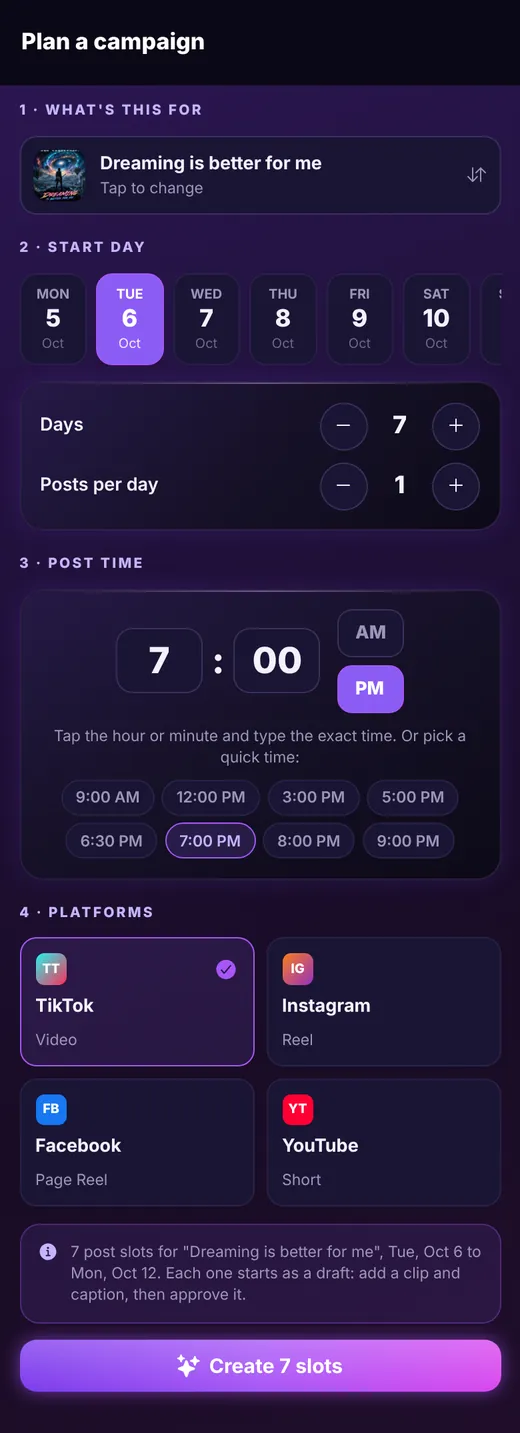
Choose what the campaign is for, pick a start day, then set the number of days (1 to 30) and posts per day (1 to 3). Choose your platforms and Beacon Reach shows you exactly how many slots it will create before you tap the button.
- Search your catalog and pick a song in seconds
- A big, easy time picker with quick times like 9 AM, 12 PM and 7 PM
- Tip built in: evenings usually work best for music
- Every slot starts as a draft, so nothing goes out until you approve it
Apps without a direct connection
Post by hand in one tap
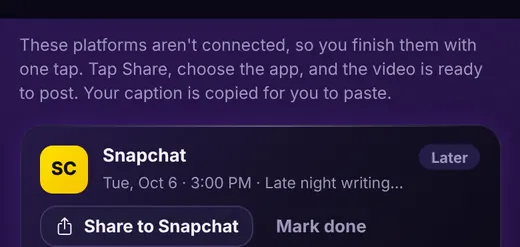
For apps that Beacon Reach does not publish to directly, like Snapchat, X, Threads, Pinterest and more, the post shows up under to post by hand. At post time you get a reminder, tap Share, choose the app, and your video is ready with your caption already copied for you to paste. Then tap Mark done.
- Works for every platform on your list
- Caption copied to your clipboard automatically
- Your reminder arrives when it is time to post
Keep exploring
Ready to line up your week?
Beacon Reach is coming soon to the App Store for iPhone.