Control and safety
Nothing posts until you say so
Every post goes through a checklist and needs your approval first. You choose the details for each platform, and you can disconnect or delete everything at any time.
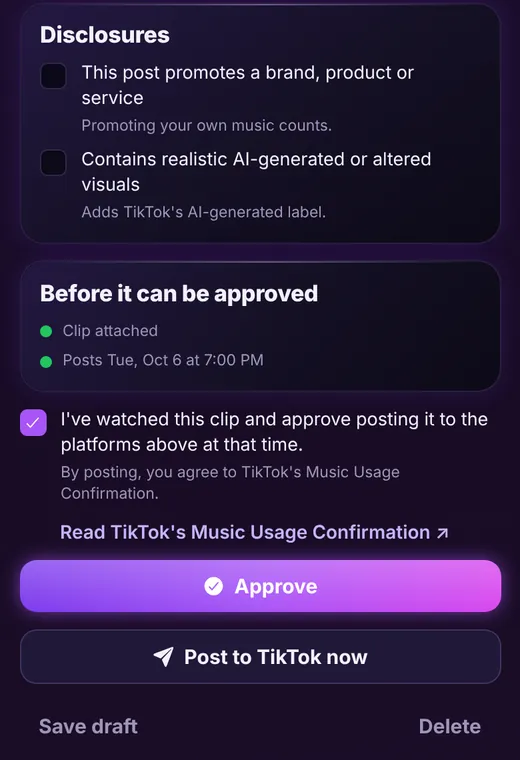
Build the post
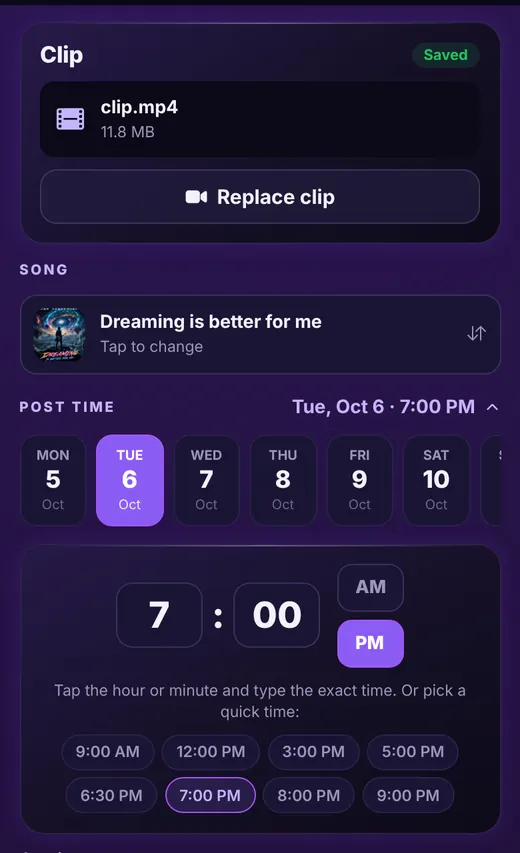
Clip, song, time, caption
Open any scheduled post to see its clip, pick the song it promotes, set the exact time, and write the caption with a counter that follows each platform's limit. Tap a suggested hashtag to add it.
- Replace the clip any time
- Time picker with quick picks
- Suggested hashtags with one tap
- Choose which platforms this post goes to
Platform choices
The right options for every platform
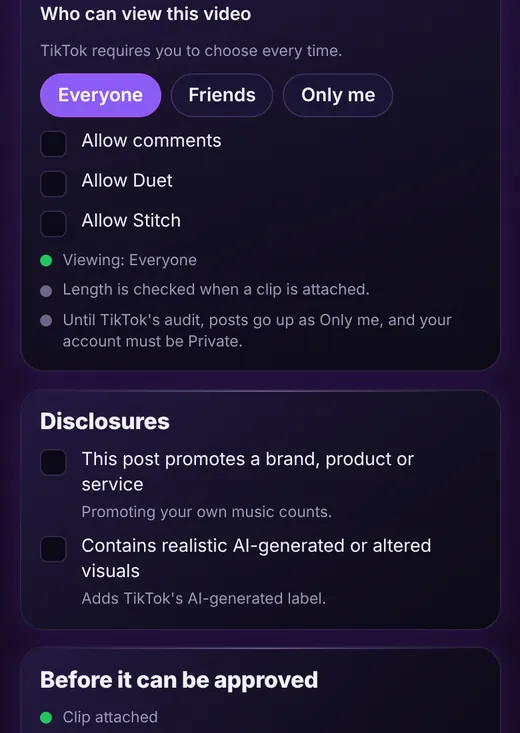
Each platform has its own settings, and Beacon Reach shows them in plain language. For TikTok you choose who can view the video every time, and whether to allow comments, Duet and Stitch. Instagram, YouTube and Facebook have their own choices, such as sharing to your feed, video title and privacy.
- TikTok viewing choice on every post
- Comment, Duet and Stitch switches
- Instagram, YouTube and Facebook Page options
- Length and rule checks before you approve
Disclosures
Be upfront with your audience
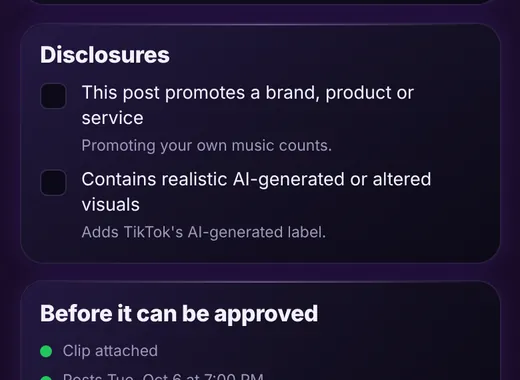
Tick a box if the post promotes a brand, product or service, including your own music, or if it contains realistic AI-generated or altered visuals, so the platform can add the right label. You are always in charge of what you disclose.
- Promotional and branded content toggle
- AI-generated content label
- Clear notes on what each choice does
Your data
Disconnect or delete, any time
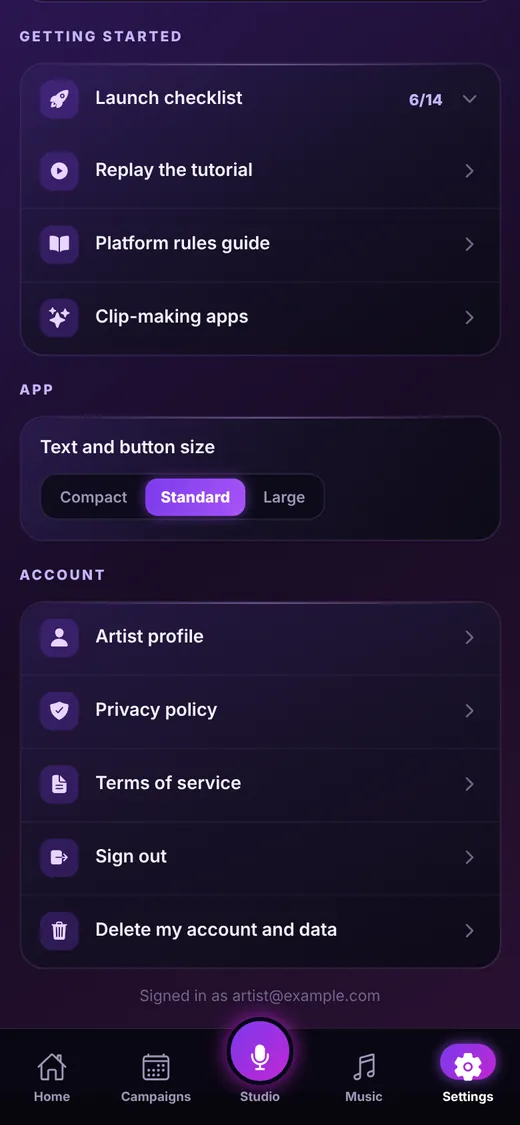
In Settings you can disconnect a platform with one tap, which removes its login from Beacon Reach, or delete your account and all your data. See our delete your data page and privacy policy for the details.
- One-tap Disconnect on every platform
- Delete my account and data in Settings
- We never sell your data or use it for ads
Keep exploring
Ready to line up your week?
Beacon Reach is coming soon to the App Store for iPhone.